In short
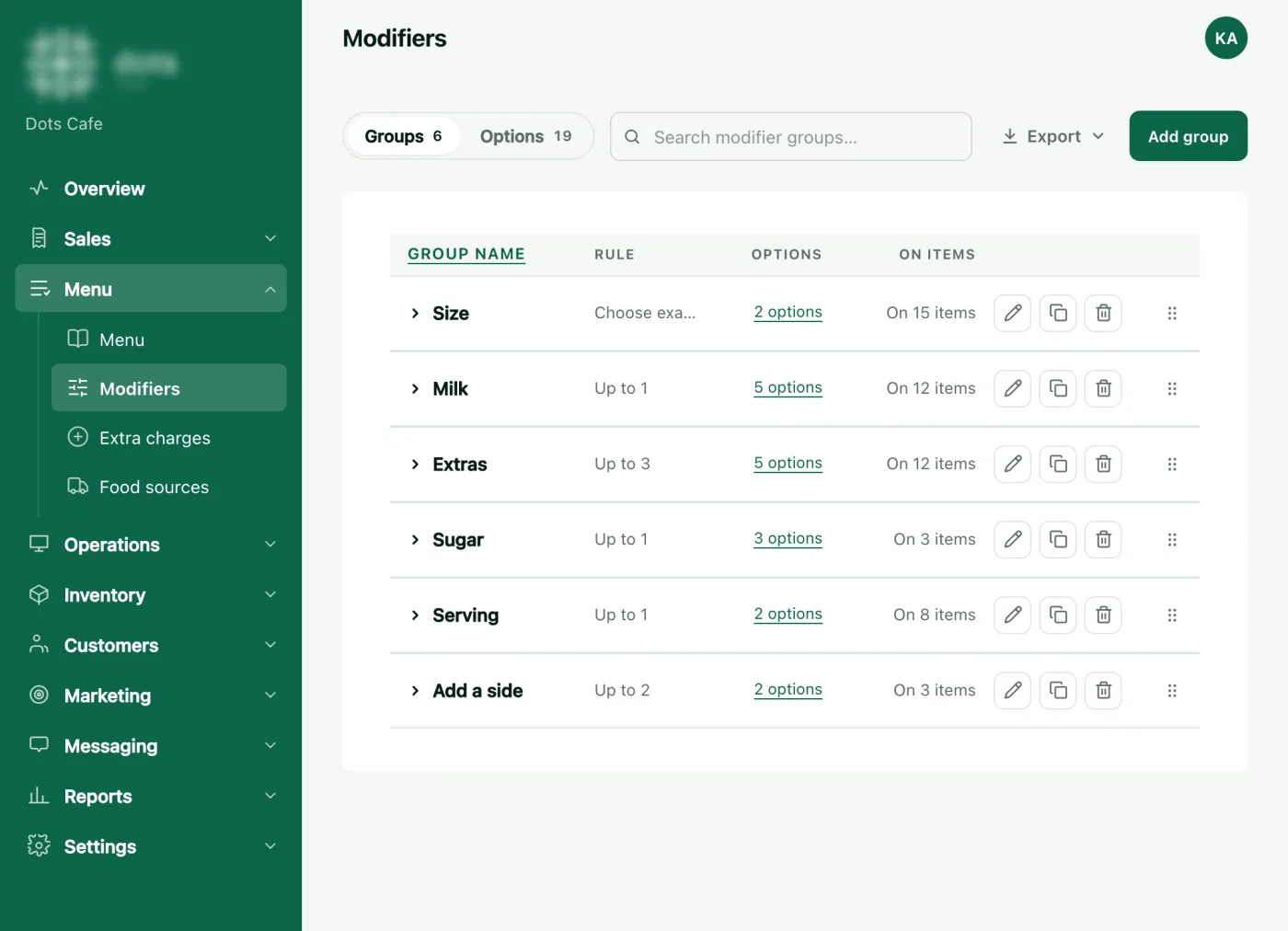
- Sizes and extras are groups you make under Menu › Modifiers, then attach to an item.
- A group is required when "Min" is 1 or more, "Max" is the limit, and "Free choices" makes the dearest ones free.
- The POS takes a change within ten minutes, or at once from "Sync everything".
Make the option group first
- Under Menu › Modifiers, press "Add group".
- Write the group’s name in Arabic and English, such as "Size".
- Set "Min" and "Max": 1 and 1 for a size, so the guest picks exactly one.
- Press "Save", then add options with "Create new option": the name and its extra "Price", such as "Large" at four riyals.
Put the most ordered option first: the POS picks the first available option in a size group by itself. If an option can be taken more than once, switch on "Can be taken more than once" and set the "Limit".
Add the item and attach the group
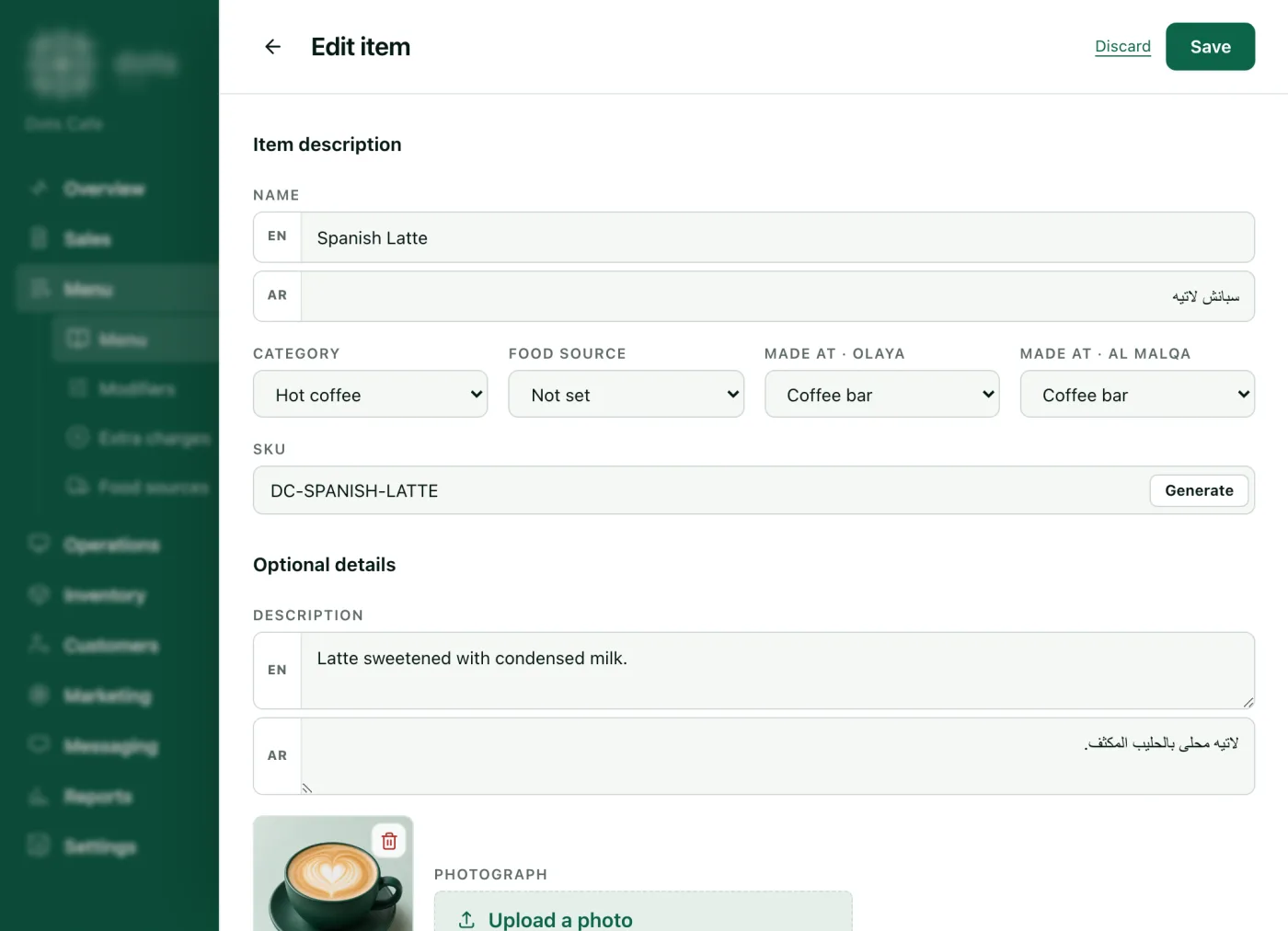
- Under Menu › Menu, press "Add item".
- Write the "Name" in Arabic and English, choose the "Category", and "Made at" if your branch has prep stations.
- Add the "Photograph" and the description, and write the "Base price". Prices include 15% VAT.
- Under "Modifier groups", tick the groups you want, such as size and milk.
- Add "Allergens" and "Calories" if you like, then press "Save".
Where it shows
- On the POS: the item window with its groups, each "Required" or "Optional", and the item is not added until the required groups are chosen.
- On the QR menu: the item with its photo, calories, allergens and options.
- An item with no groups goes on the bill in a tap.
Questions
Should Small and Large be two items?
No. Sizes are an option group of the same item, not separate items.
With "Free choices: 1", which extra is free?
The dearest one the guest chose; an option priced at zero does not count.
I changed a price and the POS still shows the old one?
It changes within ten minutes or when you return to Sell, or at once from "Sync everything". It never changes during a payment.
Source: The Menu and Modifiers pages in the dots dashboard, and the item window on the POS.