Bookings without the phone calls, each on a table that fits
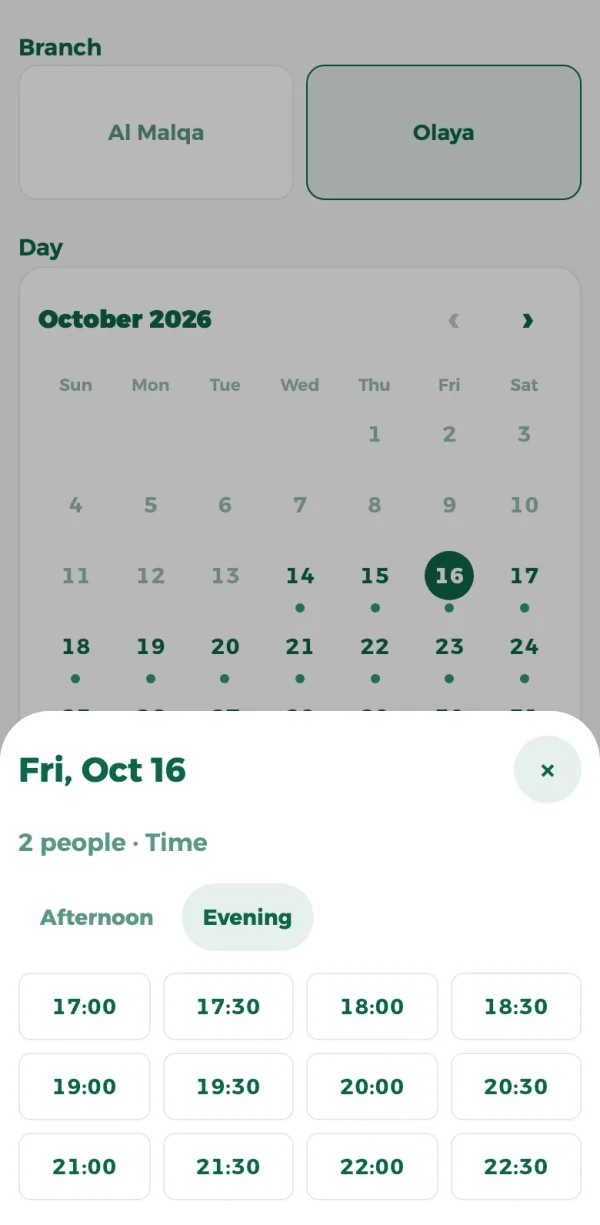
Guests book from your menu, a link or a QR code: they pick the branch, the day and how many they are, and see only the times when a table fits them. Bookings show on your POS and in the dashboard.
In the POS Advanced plan, from SAR 299 a month per branch, VAT included


ZATCA-compliant · Phase 1 and 2
- Only free times
- No double booking
- Instant or approved
- No-shows marked automatically
- Report and export
A table booked twice?
Every booking on a table that fits
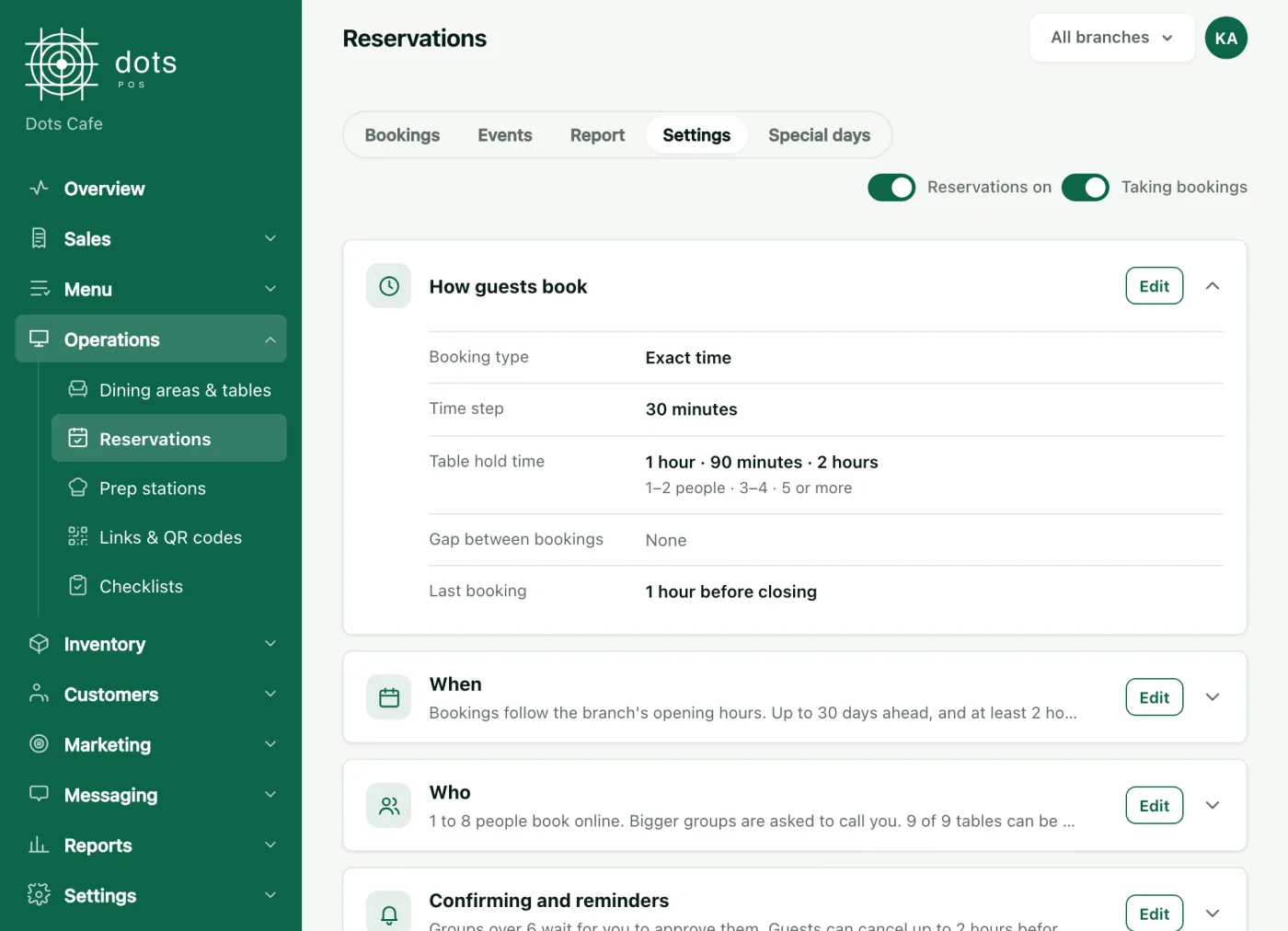
The system picks a table for the party size and never takes two bookings on it at the same time. You set how long a table is held by party size, the gap between bookings, and the earliest and latest a guest can book.
- Your opening hours, or booking hours of their own
- Special days: closed, or different hours
- The largest party that books online; bigger ones call you
A big group books without you knowing?
Confirmed at once, or when you approve
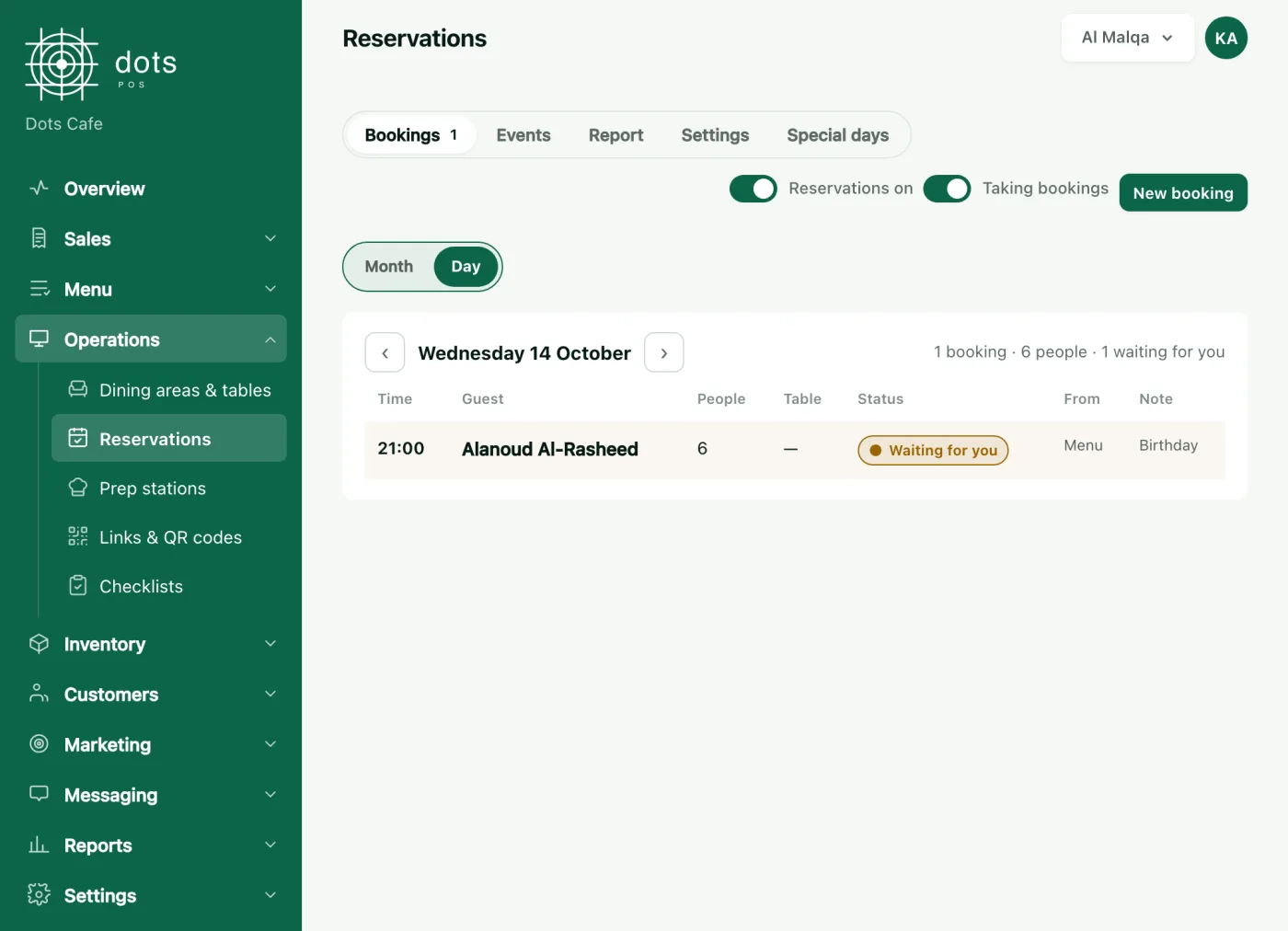
Choose whether every booking is confirmed at once, whether you approve each one, or only parties above a size you set. Requests show in the dashboard, on the POS and in the dots Teams app.
- Guests confirm their number with a code
- They change or cancel from their own link
- A request you didn't answer is declined at its time
Bookings that never show up?
No-shows, counted
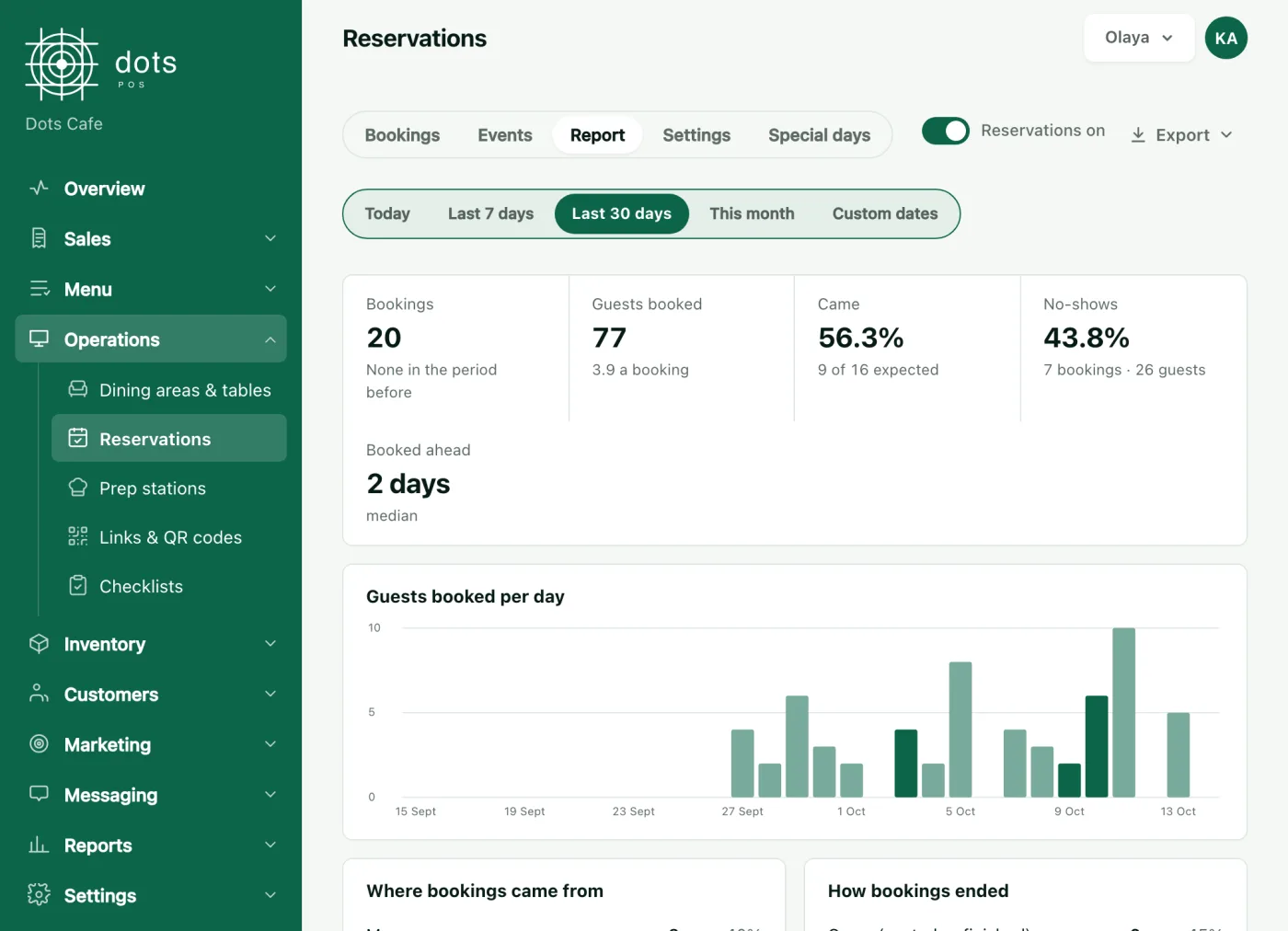
No-shows are marked automatically after a grace period, and a report shows the show-up rate and where bookings came from, with an export to a file.
Everything you need for bookings
On the POS
A Bookings tab beside the floor plan: drag a booking onto a table, and seating it opens the bill in the guest’s name.
Phone bookings and walk-ins
Your staff add a booking a guest phoned in, or a guest who walked in.
Events
Events priced per person or per booking, paid when the guest arrives.
A link and a QR code
A booking link and a QR code for your profiles and your door.
Occasion and notes
Ask about the occasion, children and seating, and choose which questions show.
Sittings or exact times
Book an exact time, a sitting, or the day with a guest limit.
The plan with reservations
POS Advanced
299SAR a month per branch, VAT included
Each extra branch is half price, and paying yearly saves 20%.
- Everything in POS+
- Reservations and events
- Reading supplier invoices
- Menu performance and each item's margin
Questions about reservations
How do guests book?
Can a table be booked twice?
Do I approve every booking?
Which plan has reservations?
More features
Your tables booked, your phone quiet
In the POS Advanced plan, from SAR 299 a month per branch, VAT included
Book a 10-minute demo