Stock that comes off with every sale, and the cost of every item
Each item has a recipe that takes its ingredients off the branch’s stock with every sale. Count on the phone, order from suppliers, record their invoices to update your costs, and know what will run out before it does.
In the POS+ plan, from SAR 199 a month per branch, VAT included


ZATCA-compliant · Phase 1 and 2
- A recipe per item
- Stock per branch
- Counts on the phone
- Purchase requests and orders
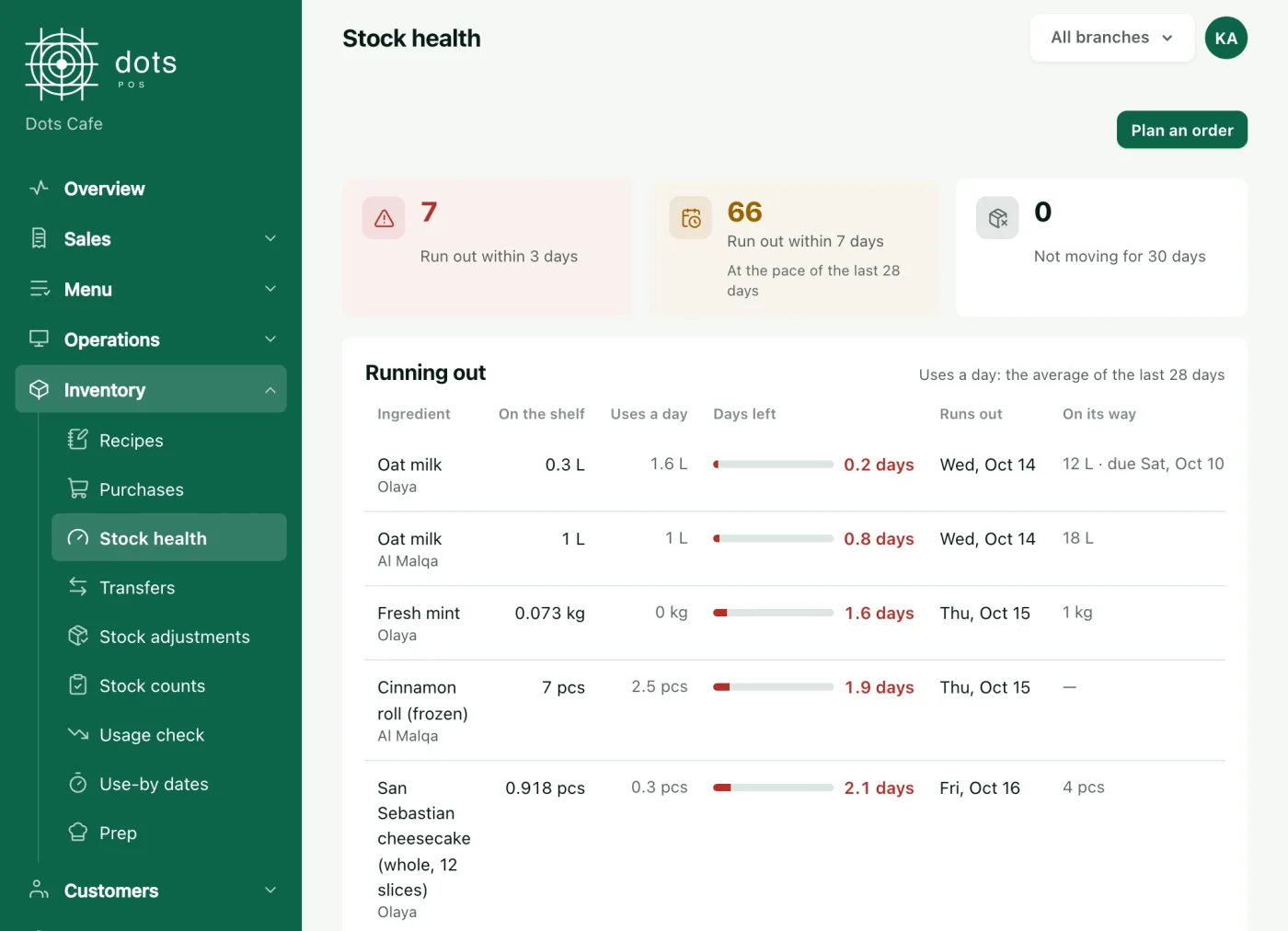
- Warned before it runs out
Not sure what an item costs you?
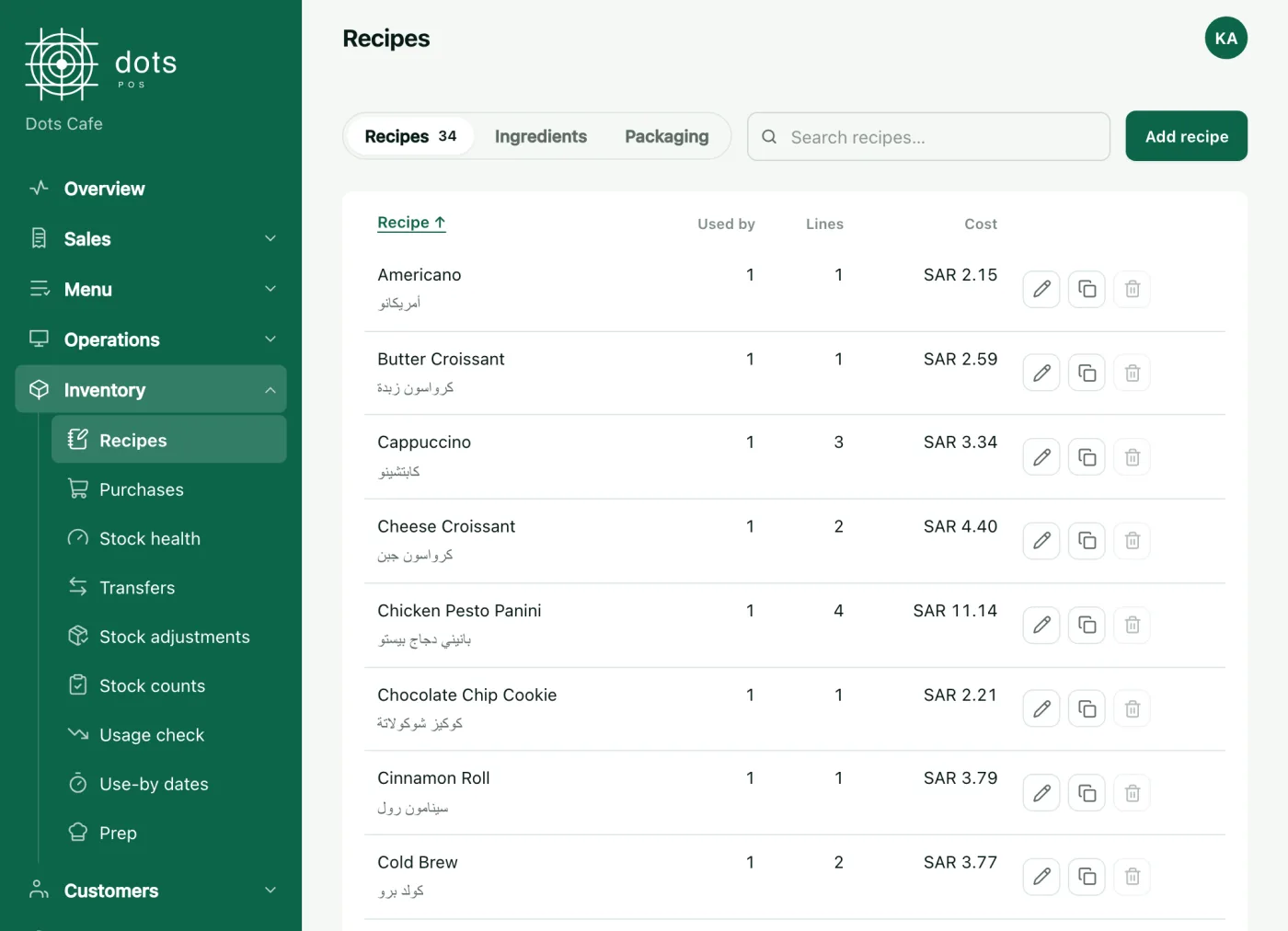
A recipe for every item, and its cost
Set the ingredients of every item and every extra. They come off with each sale and each accepted online order, and you see the item’s cost from your invoice prices.
- Sub-recipes for what you prepare yourself
- Packaging by order type: cup, lid and bag
- Refunds put the ingredients back in stock
Waste disappearing without a trace?
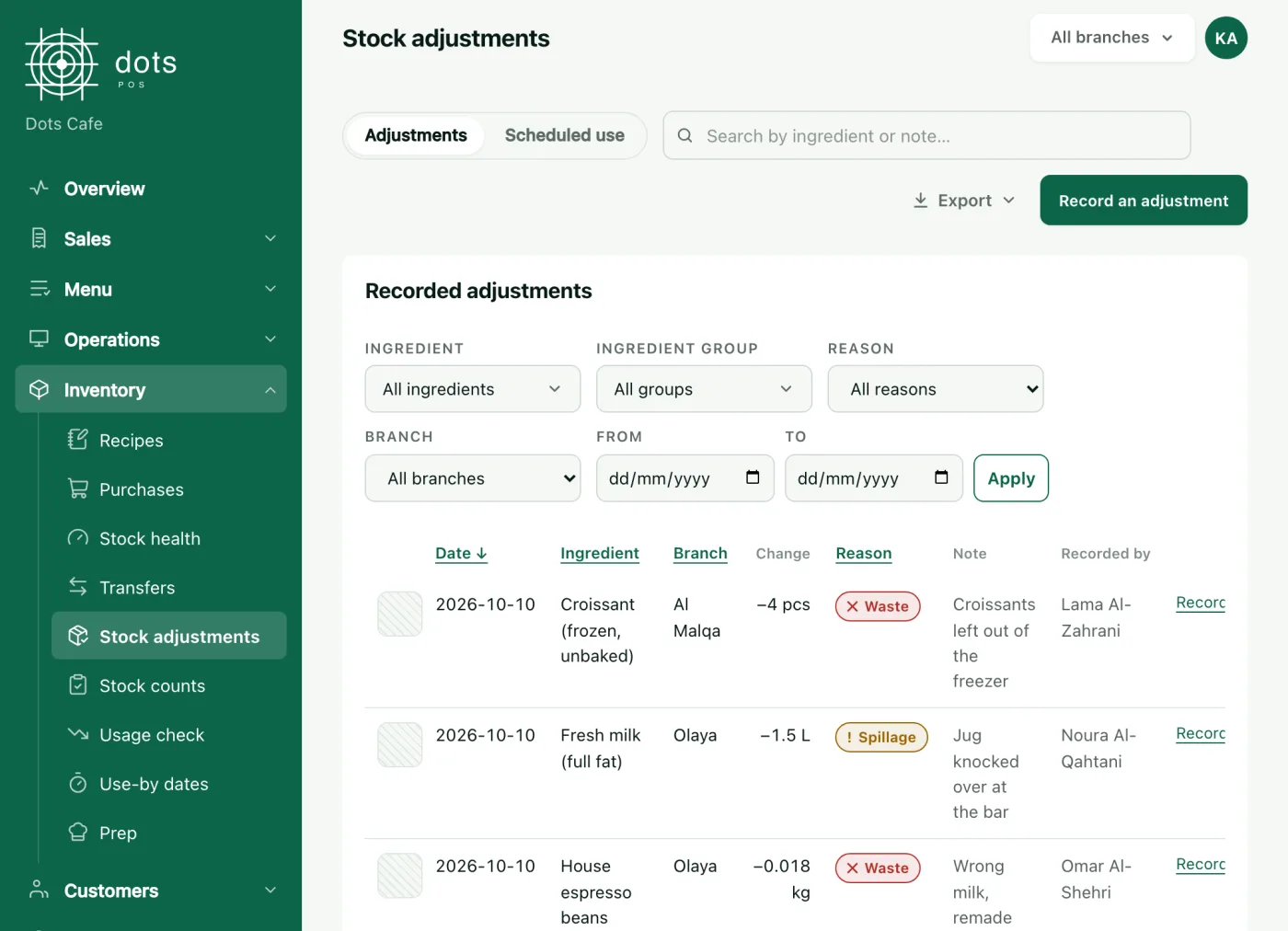
Counts and waste on the phone
Your staff count item by item in the dots Teams app without seeing the expected figure, and log waste with a photo and a reason. You review the result and compare what was used with what the recipes say.
- A count schedule for each ingredient
- A figure far from expected is counted again
- Transfers between branches, and receiving them
Purchasing with no follow-up, invoices in a drawer?
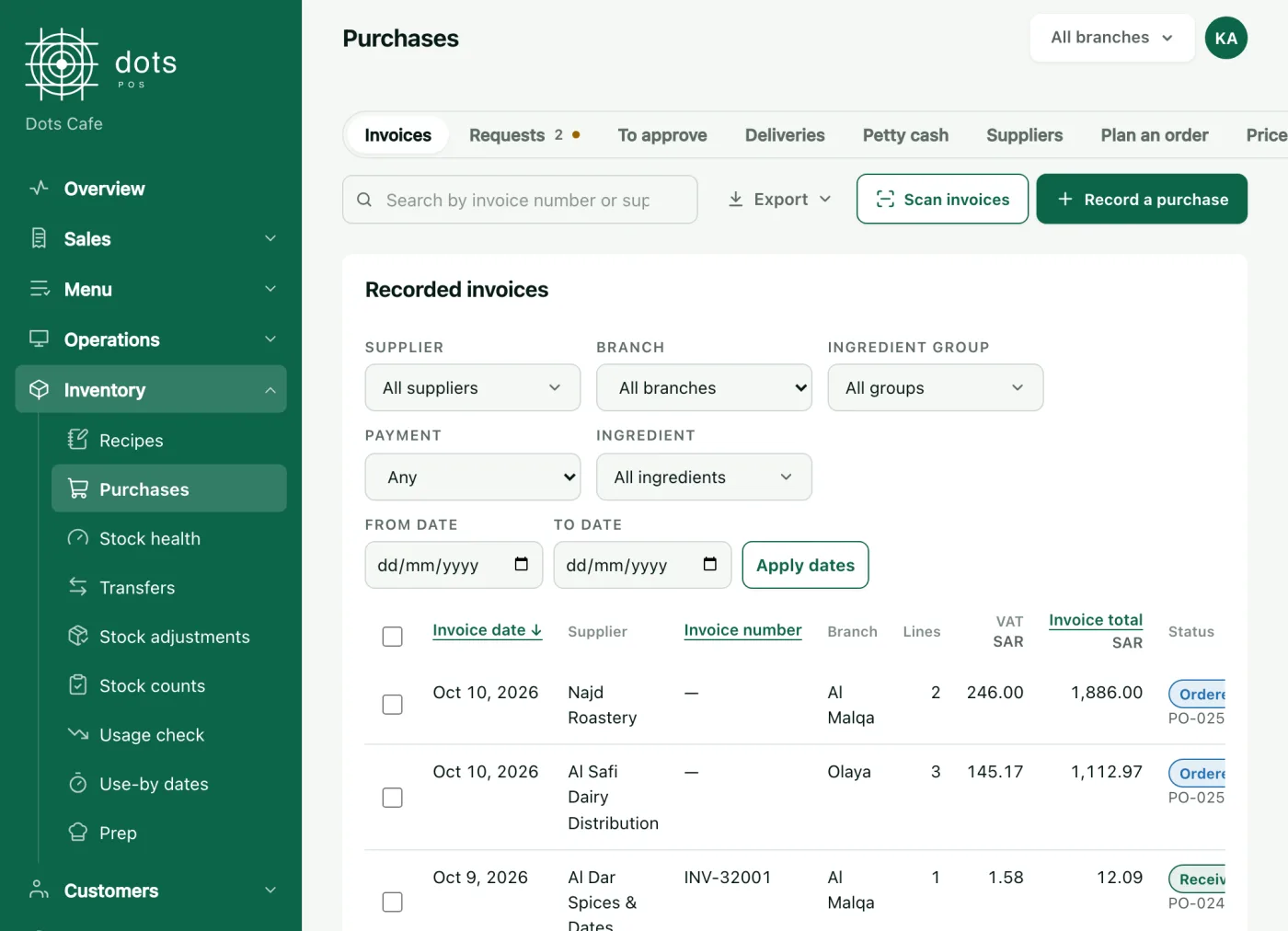
From purchase request to supplier invoice
Staff request, you approve anything over an amount you set, and a purchase order is issued for each supplier. On delivery the invoice is recorded, the stock is added and your costs update.
- The purchase order is a file you send the supplier
- An alert when a supplier raises a price
- Reading an invoice photo in POS Advanced
Stock and purchasing in one system
Before it runs out
Days left of each ingredient at your sales, and a phone alert at its minimum.
Order planning
How much to order from each supplier to cover the days you choose, from your sales.
Approvals on the phone
Purchase requests, counts, invoices and transfers wait for your approval in the dots Teams app.
Petty cash
Small cash purchases with their receipts and balance.
Reading supplier invoices
Photograph the invoice or upload its file; its lines and prices are read, then checked by your staff.
In the POS Advanced plan
Menu performance
Each item’s margin, which items earn you most, and which need a look.
In the POS Advanced plan
The plan with stock
POS+
199SAR a month per branch, VAT included
Each extra branch is half price, and paying yearly saves 20%.
- Everything in the POS plan
- Stock, recipes, counts and waste
- Purchase requests and orders, and supplier invoices
- Transfers between branches
Questions about stock
Does stock come off automatically when I sell?
Does selling stop when an ingredient runs out?
How is an ingredient’s cost worked out?
Can the system read a supplier invoice?
More features
Know where every riyal of your stock goes
In the POS+ plan, from SAR 199 a month per branch, VAT included
Book a 10-minute demo