In this page
In short
- On the POS, in the "Shift" tab: count the cash to open the shift, and again to close it.
- "Close the shift · Z report" closes the day with the branch’s last POS, and prints the day report.
- On the dashboard, Sales › Close of day shows each day’s status, takings and drawer difference.
Open the shift
- After signing in with your code, the POS opens "Count the drawer to start" if no shift is open.
- Press "Open drawer" and enter "Cash in the drawer".
- Enter "Card terminal total" if you match the card terminal, or leave it empty.
- Press "Open the shift".
During the shift
- "X report" shows the shift’s sales so far without changing anything, and you can print it.
- Record cash in and out with "Record cash in or out", with the amount and the reason. It cannot be undone; a mistake is corrected by a movement the other way.
- The owner and anyone with "Manage shifts" record it without a code; others need a manager’s code.
Close the shift and the day
- Press "Count the drawer" and enter "Cash counted". Beside it you see what should be there: "Balanced", "Over by" or "Short by".
- Enter "Card terminal total now" if you recorded one when the shift opened.
- Press "Close the shift · Z report", then "Close the day and print".
A cash difference never stops the close; it is recorded as it is. If another POS at the branch still has its shift open, the day closes with the last one.
Check the day on the dashboard
Under Sales › Close of day you see each day’s status, its orders and total sales, as cash, card, online and third party. Open a day to see the cash drawer: expected, counted and the difference, and any POS to check.
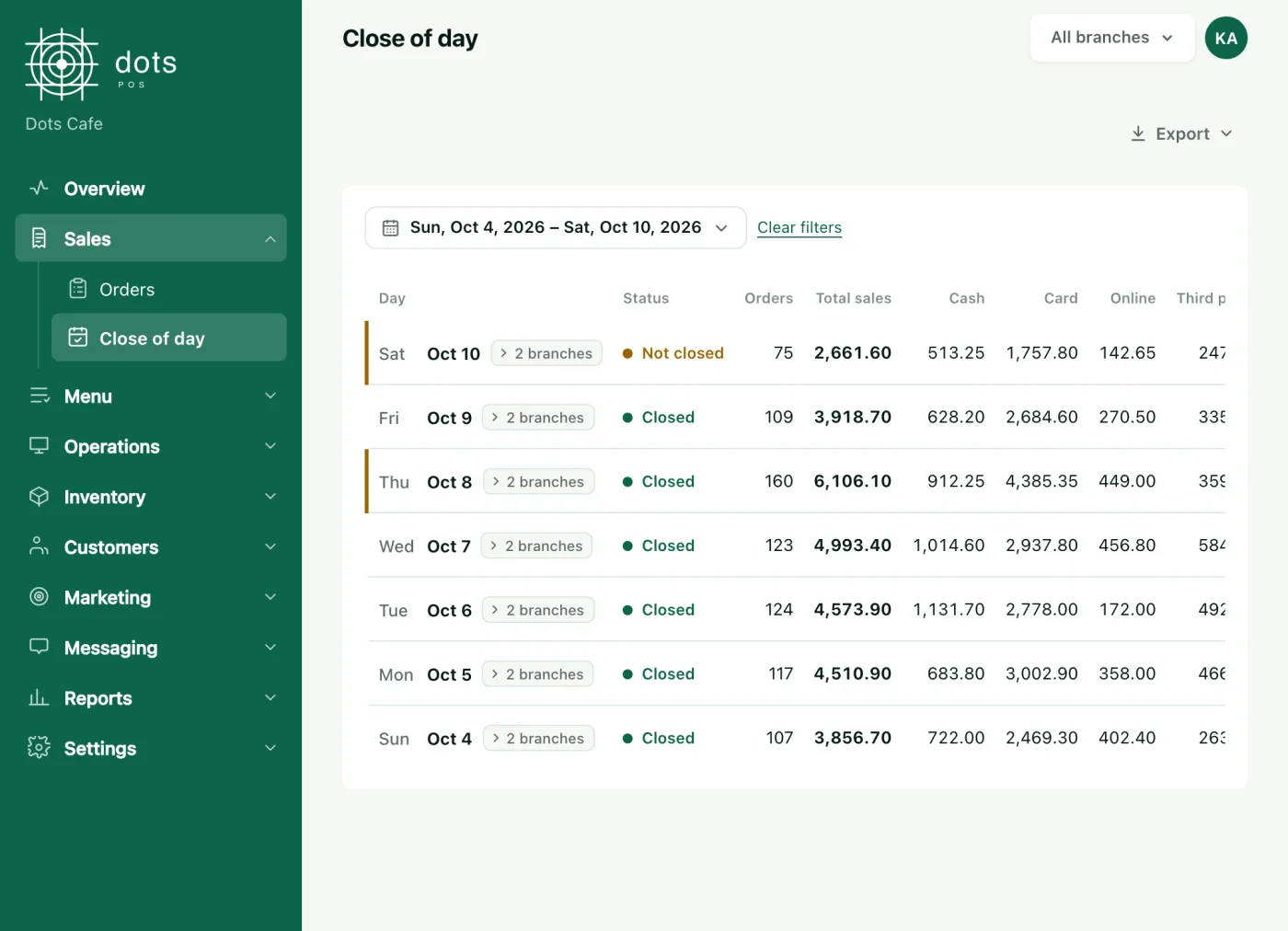
From "Export" you save the day summary, or every payment, as an Excel file.
Questions
Can I close with the drawer short?
Yes. The POS shows "Short by" and records it, and the day shows in red on the Close of day page.
I have two POS at the branch. When does the day close?
Each POS closes its own shift, and the day closes with the last one.
How do I sell after closing the day?
Open a new shift, and the POS opens the trading day again by itself.
Source: The "Shift" tab on the dots POS, and the Close of day page in the dashboard.