In this page
In short
- You photograph a supplier invoice or upload its file, and its lines, quantities and prices are read into a draft that is not saved until your staff check it.
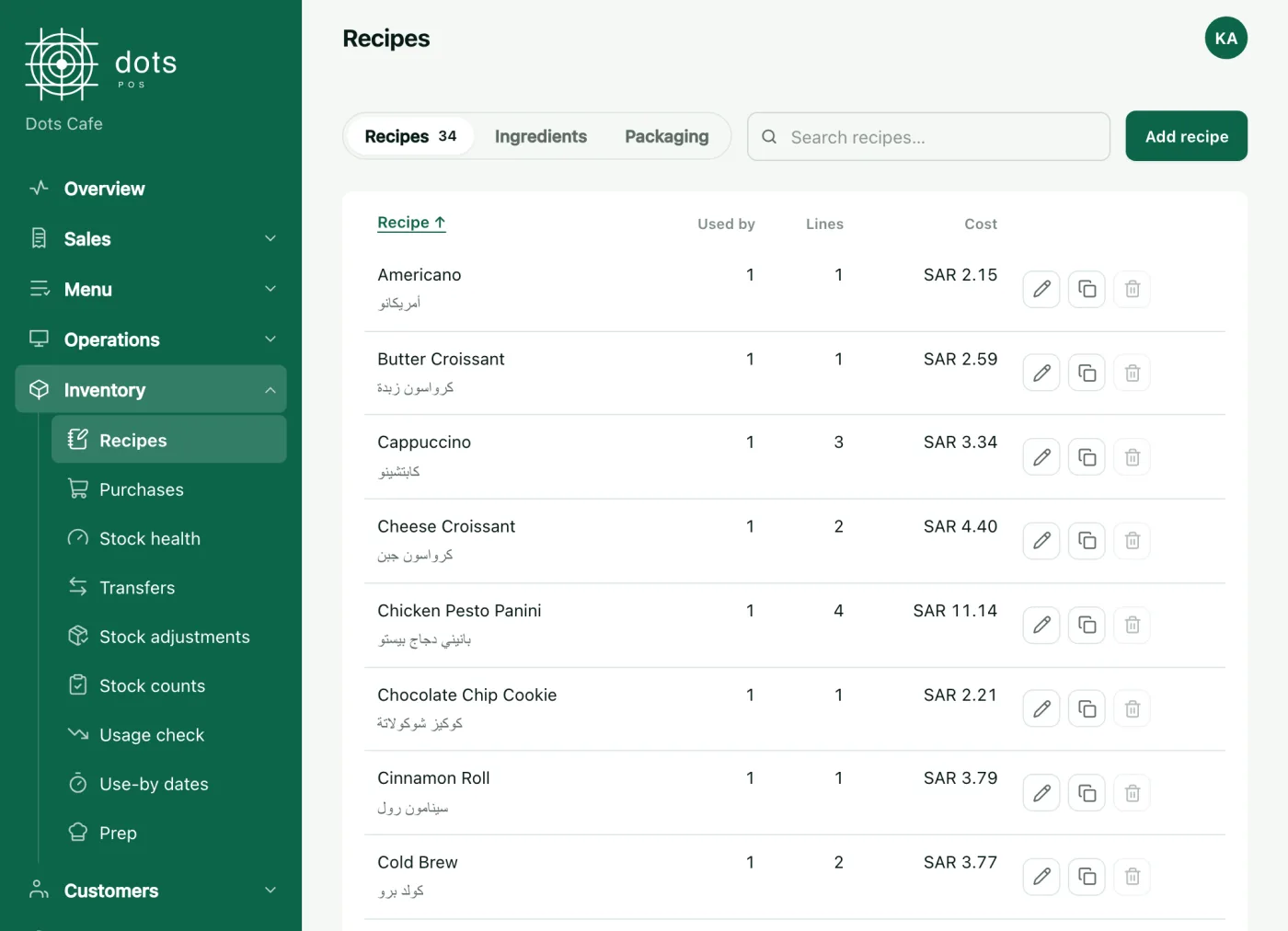
- Once saved, the stock is added and the ingredient’s cost updates as a weighted average, so every item’s cost in its recipe updates too.
- Invoice reading is in POS Advanced, and recording invoices by hand in POS+.
Why supplier invoices wait, and what the wait costs you

Typing an invoice in line by line takes time, so invoices wait in a drawer. Until one is recorded, the stock on the system is lower than what is on the shelf, and every item that uses the ingredient is still costed at the old price, so the margin you read is not today’s.
From the photo to the draft
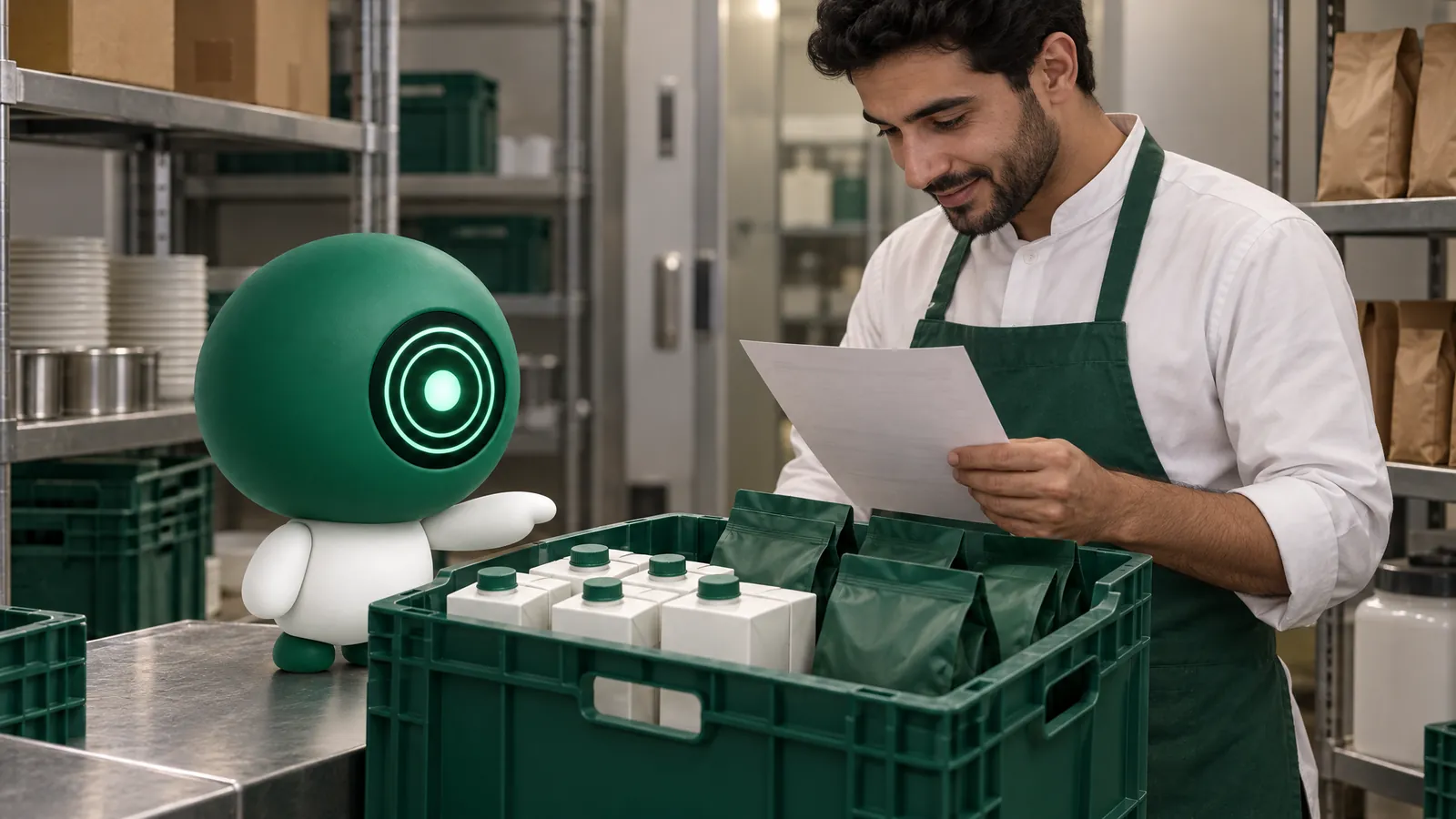
- You photograph the invoice or upload its file, from the dashboard or the dots Teams app, and several invoices are read at once.
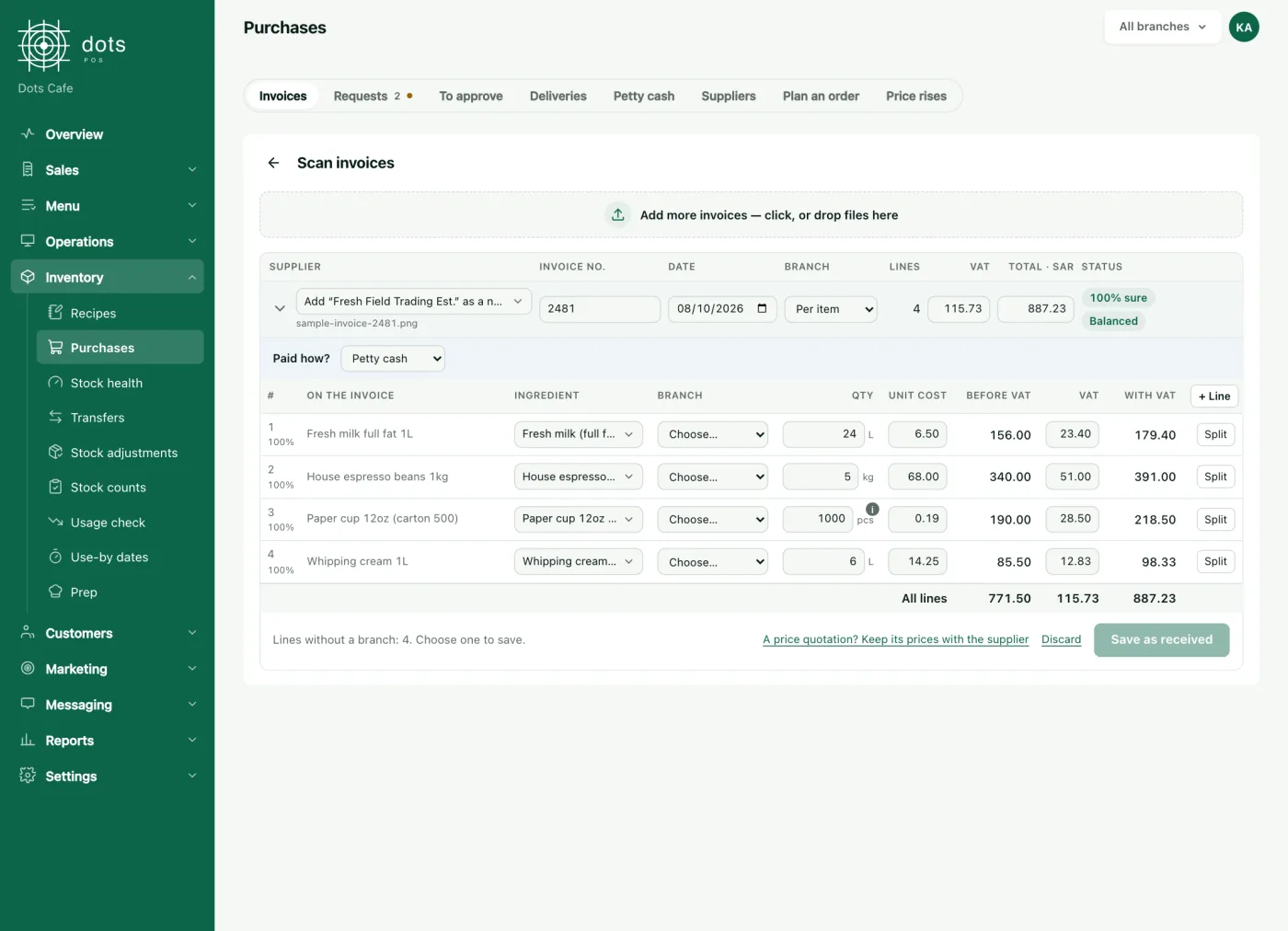
- The draft shows the invoice’s items, quantities and prices, matched to your business’s ingredients.
- For a line with no ingredient of yours, Dots suggests a new ingredient with its name and unit.
What your staff check before saving
- The supplier and the invoice number: has this invoice been recorded already?
- The unit: a carton, a kilo or a litre, as you keep the ingredient.
- The quantity on the invoice against what really arrived.
- The price before VAT.
- Any suggested new ingredient: is it really new, or one you already have under another name?
After saving: stock and cost
The stock is added to the branch, and the ingredient’s cost becomes a weighted average: what is on the shelf at its cost, and the new quantity at its price before VAT. The cost moves only when an invoice is received.
An example of the sum: with 20 litres of milk on the shelf and an invoice for 40 litres at a new price, the new stock is two thirds of what is now on the shelf, so the cost moves two thirds of the way to the new price at once. If the shelf was empty, the new price becomes the cost.
Every item that uses the ingredient in its recipe updates its cost, and on POS+ you get an alert when a supplier raises a price.
From cost to each item’s margin
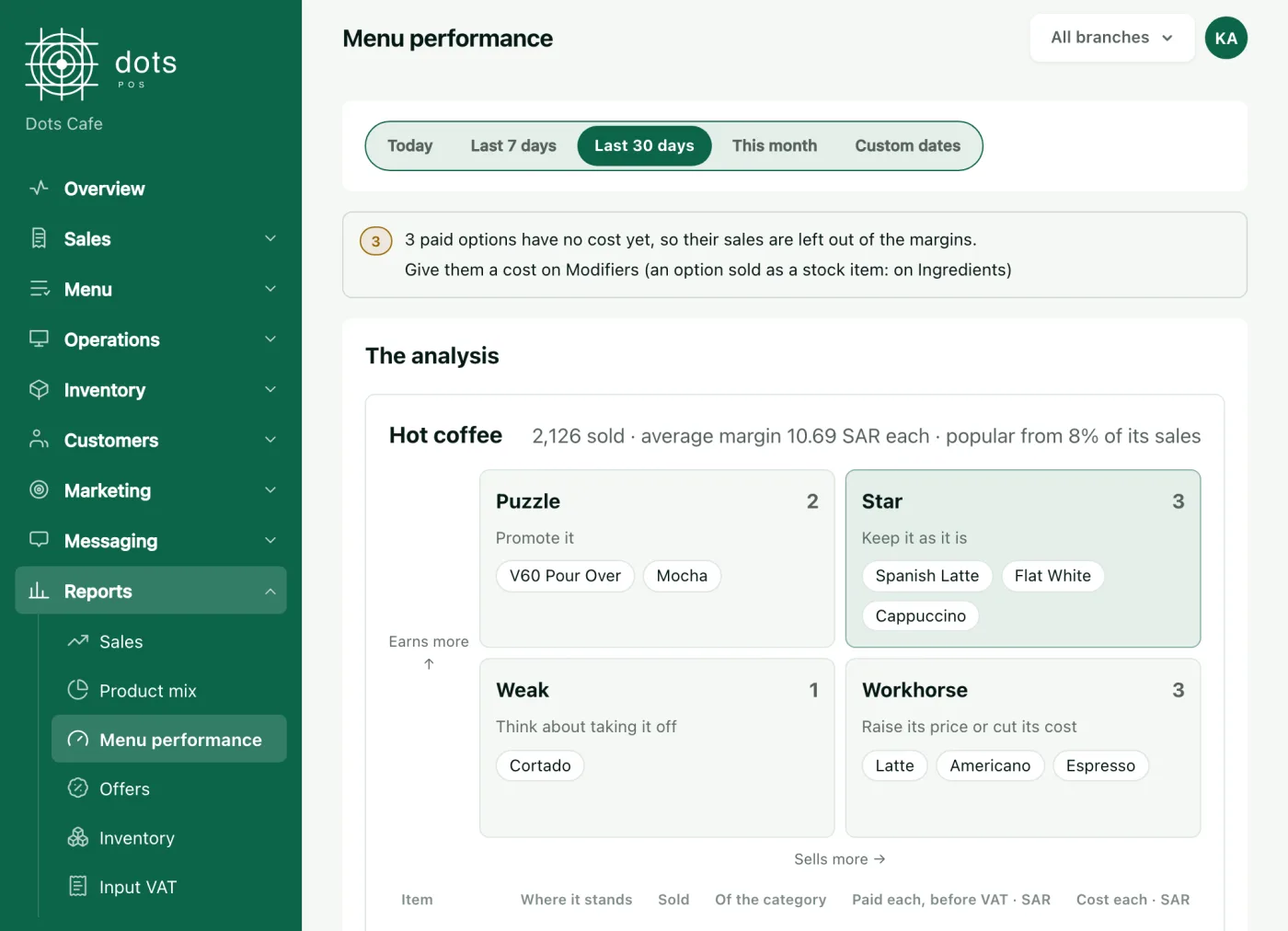
Menu performance puts each item in its group, star, workhorse, puzzle or weak seller, from the price paid and the cost of its recipe, and suggests in words what to do: raise the price, promote it, or think about removing it. It is in the POS Advanced plan.
What it does not do, and what stays your call
- Nothing is saved before your staff check it.
- Dots never orders from a supplier by itself: it suggests how much to order to cover the days you set, a person approves the request, and you set the amount above which a request needs your approval.
- Recipe drafts are yours to approve or edit.
Which plan
Invoice reading is in POS Advanced: SAR 299 a month for the first branch, VAT included, or SAR 2,870 a year for one branch paid yearly, and each further branch is half price. Recording invoices by hand, with stock, recipes and purchase orders, is in POS+ from SAR 199 a month.
Questions
Can I upload the invoice file instead of a photo?
Yes. Photograph it or upload its file, from the dashboard or the dots Teams app.
What happens to an invoice line with no ingredient of mine?
Dots suggests a new ingredient with its name and unit, in the draft your staff check before saving.
Do I need POS Advanced to record supplier invoices?
No. Recording by hand is in POS+; reading from a photo or file is in POS Advanced.
When does an ingredient’s cost change in dots POS?
When a supplier invoice is received, as a weighted average of invoice prices before VAT.
Source: The dots agents and stock pages on the dots site, the invoice reading, recipes and menu performance screens, and dots POS prices.