In this page
In short
- Days left for each ingredient come from the last 4 weeks of use, day by day, so busy days count.
- Set a minimum for each ingredient; when a shelf reaches it, dots POS drafts a purchase request for its supplier on its own.
- Ask Dots what will run out: it tells you and prepares the purchase requests, and nothing is sent until you confirm.
Why an item runs out without warning

An item rarely runs out suddenly; it runs out at a pace nobody was watching. A count tells you what is on the shelf today, not how many days it will last.
And the average misleads: Thursday and Friday use more than the rest of the week. Divide the shelf by an average day and the item runs out sooner than you expected, often on the busiest day.
How days left are worked out
dots POS counts what each ingredient used at each branch over the last 28 completed days: what sales drew through their recipes, waste and spillage, prep, scheduled use, and what was sent to another branch. A recount or a loss is not use.
Then it takes each weekday’s average on its own and walks forward from today, day by day, taking each day’s use off the shelf until it runs out.
| Day | Use (litres) |
|---|---|
| Sunday | 2 |
| Monday | 2 |
| Tuesday | 2 |
| Wednesday | 2 |
| Thursday | 6 |
| Friday | 8 |
| Saturday | 6 |
On Thursday morning there are 10 litres on the shelf. The week averages 4 litres a day (28 ÷ 7), and dividing by that says 2.5 days, into Saturday. Day by day: Thursday takes 6, leaving 4; Friday needs 8, so the 4 last only half of it. That is 1.5 days, and it runs out on Friday, the busiest day of the week.
It needs at least 7 days of use; before that it shows no figure rather than guess. It counts only what is on the shelf, and shows what is on its way beside it.
A minimum, and a request that writes itself
Each ingredient has two numbers: Warn below, its minimum, and Order up to. From there dots POS works on its own:
- Every 15 minutes, a shelf at or under its minimum gets a purchase request drafted for its branch, to the ingredient’s supplier.
- How much: up to Order up to, less what is on the shelf and what is ordered but not yet received. With no Order up to, twice the minimum.
- Other ingredients of the same supplier close to their own minimum, up to 10% above it by default, join the same request: one open request per supplier at each branch.
- The request goes through your business’s approval rule like any purchase request, and nothing is ordered from the supplier until a purchase order is made.
- In the dots Teams app, an alert reaches you when a shelf reaches its minimum.
An example: a minimum of 10 litres, Order up to 30, 9 on the shelf and nothing on its way: a request for 21 litres.

How much to order
When you order for several days, the order planner (Plan an order, on the dashboard’s Purchases page) works out the quantity for each supplier:
Use a day × (the supplier’s delivery days + the days to cover) − on the shelf − on its way
- It never orders more than is used before the ingredient expires, when you set how long it keeps.
- It rounds up to the next 0.1 for kilos and litres, and to a whole unit otherwise.
- In Ramadan and Eid it follows last year’s pace on the same days when the branch has them in its history; otherwise it stays at the usual pace and says so.
An example: 4 litres a day, a supplier who delivers in 1 day, 7 days to cover and 10 on the shelf: 4 × (1 + 7) − 10 = 22 litres.
Ask Dots
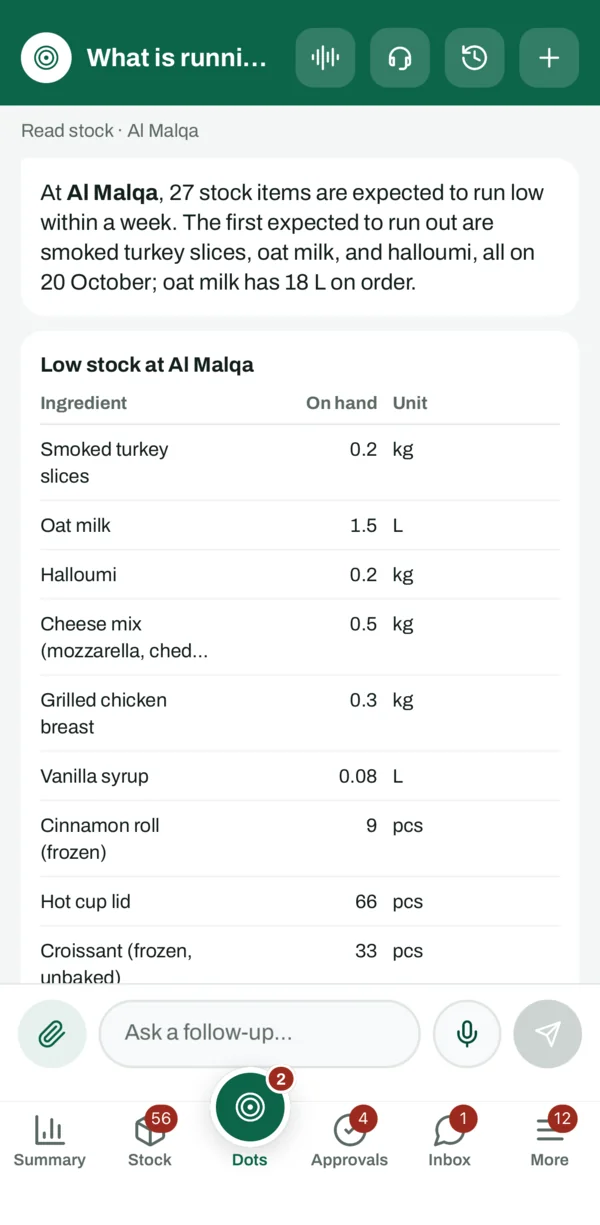
Ask in your own words: “What is running out at Al Malqa?” Dots reads the same days left and answers with what runs out within a week, the soonest first, and what is already on order.
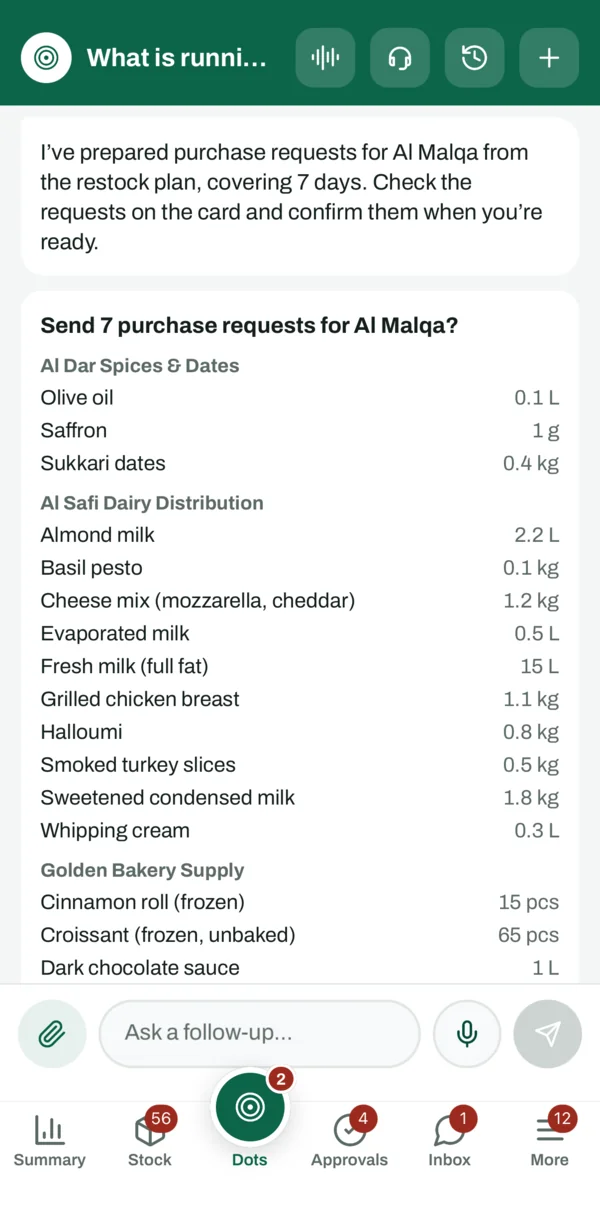
Then: “Prepare the purchase requests for Al Malqa.” Dots prepares them from the order planner, to cover 7 days unless you ask for another number, one request per supplier on one card. Nothing is sent until you confirm, and then your approval rule applies.
And on the Dots screen, under Needs your attention, a line counts the ingredients that run out within 7 days.
In the dots Teams app
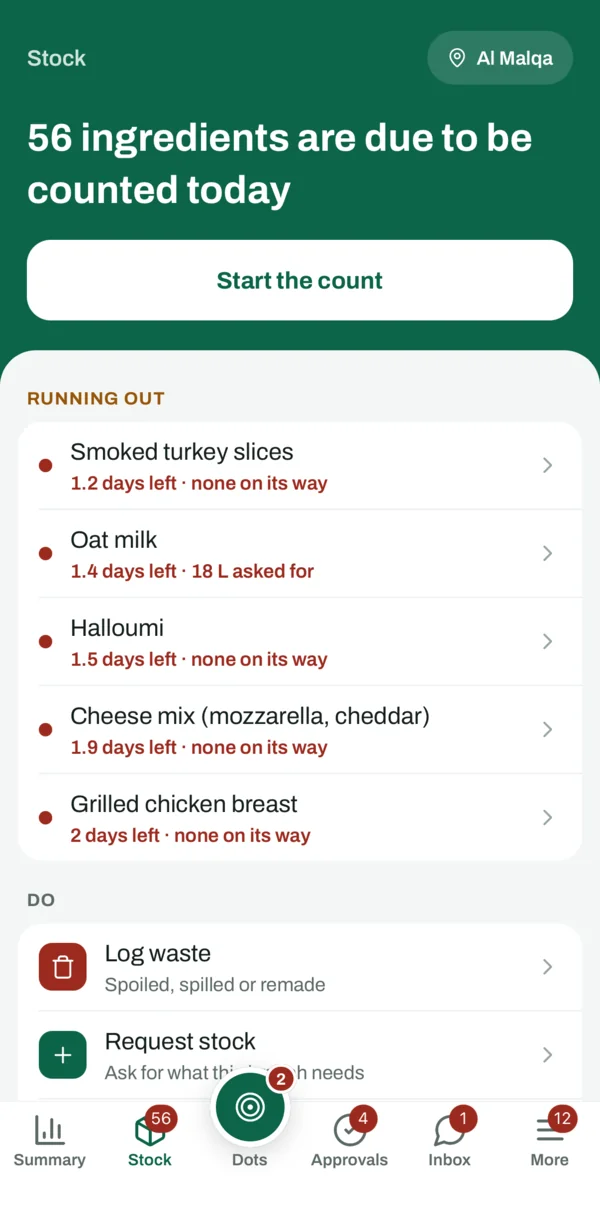
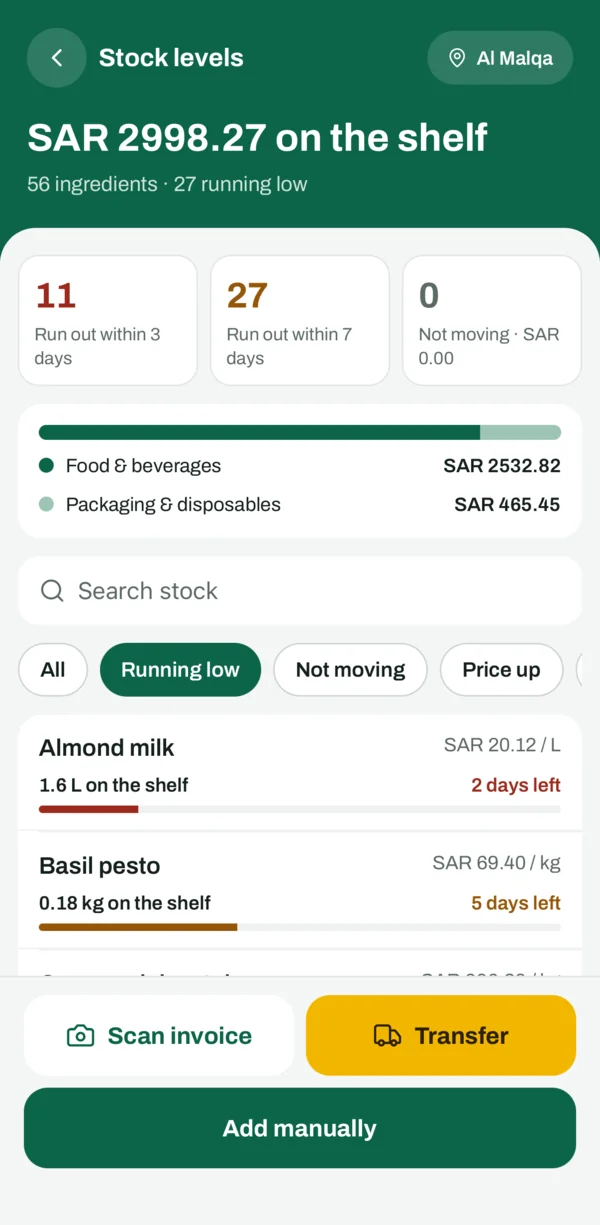
- The Stock tab: the Running out list, red for 3 days or less, with what is on its way beside each ingredient.
- Stock levels: the value on the shelf, how many ingredients run out within 3 days and within 7, and a Running low filter.
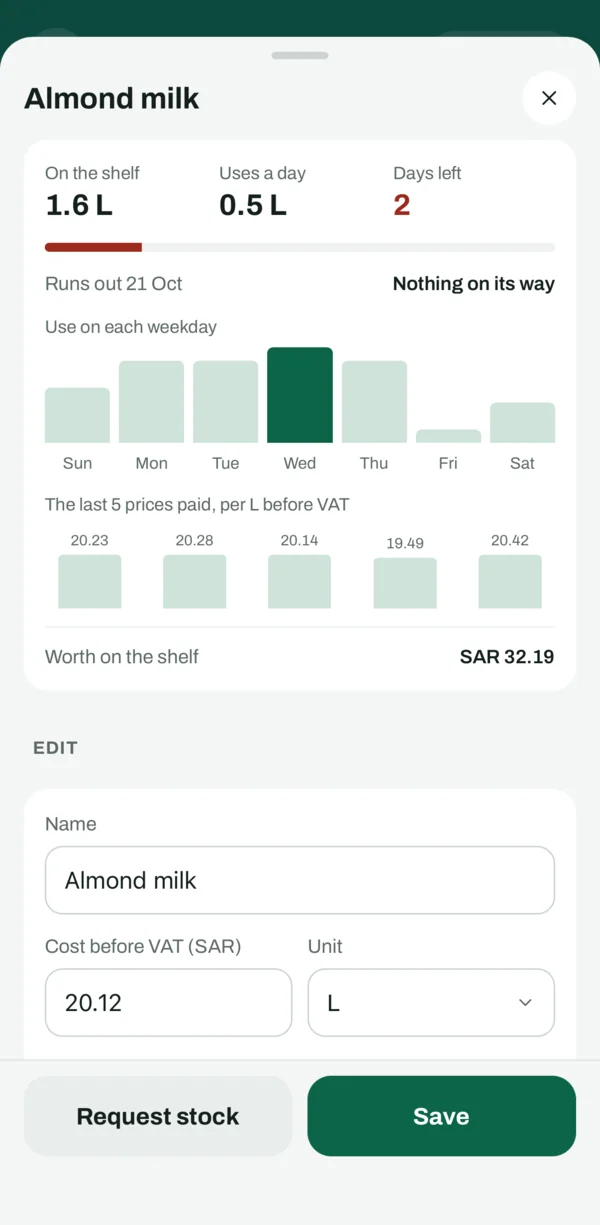
- Each ingredient’s page: on the shelf, use a day, days left, the day it runs out, what is on its way, and the use on each weekday.

What keeps the figure right
- Give every item you sell a recipe, so each sale draws its ingredients from stock. Dots drafts the recipe for you to check.
- Log waste and spillage: they are use.
- Receive supplier invoices, so the shelf grows by what really arrived.
- Count regularly: a count sets the shelf to what you counted.
Days left, the automatic requests and the order planner are in POS+. Ask Dots is in every POS plan, 20 questions a month, and up to 100 a day in POS Advanced; its stock questions start from POS+.
Questions
Does AI guess the days left?
No. Days left are arithmetic on your use over the last 4 weeks, day by day. Ask Dots tells you them and prepares the order.
What about a new branch?
Days left appear after 7 days of use; until then no figure is shown.
Does it order from the supplier by itself?
No. It prepares a purchase request that goes through your approval rule, and nothing is ordered until a purchase order is made.
Does it allow for Ramadan and Eid?
The order planner follows last year’s pace on the same days when the branch has them in its history; otherwise it tells you it is at the usual pace.
Source: The dots Teams app and the Purchases page of the dots POS dashboard, and days left as dots POS works them out, checked on 19 October 2026.